Your kind of light
Blur, spread, brightness and saturation.
 Twitch Ambient Light
LIGHT BEYOND THE FRAME
Turn stream colours into the atmosphere of your page. Continuous ambient light for Twitch, with controls inside the player.
Chromium · version 0.6.0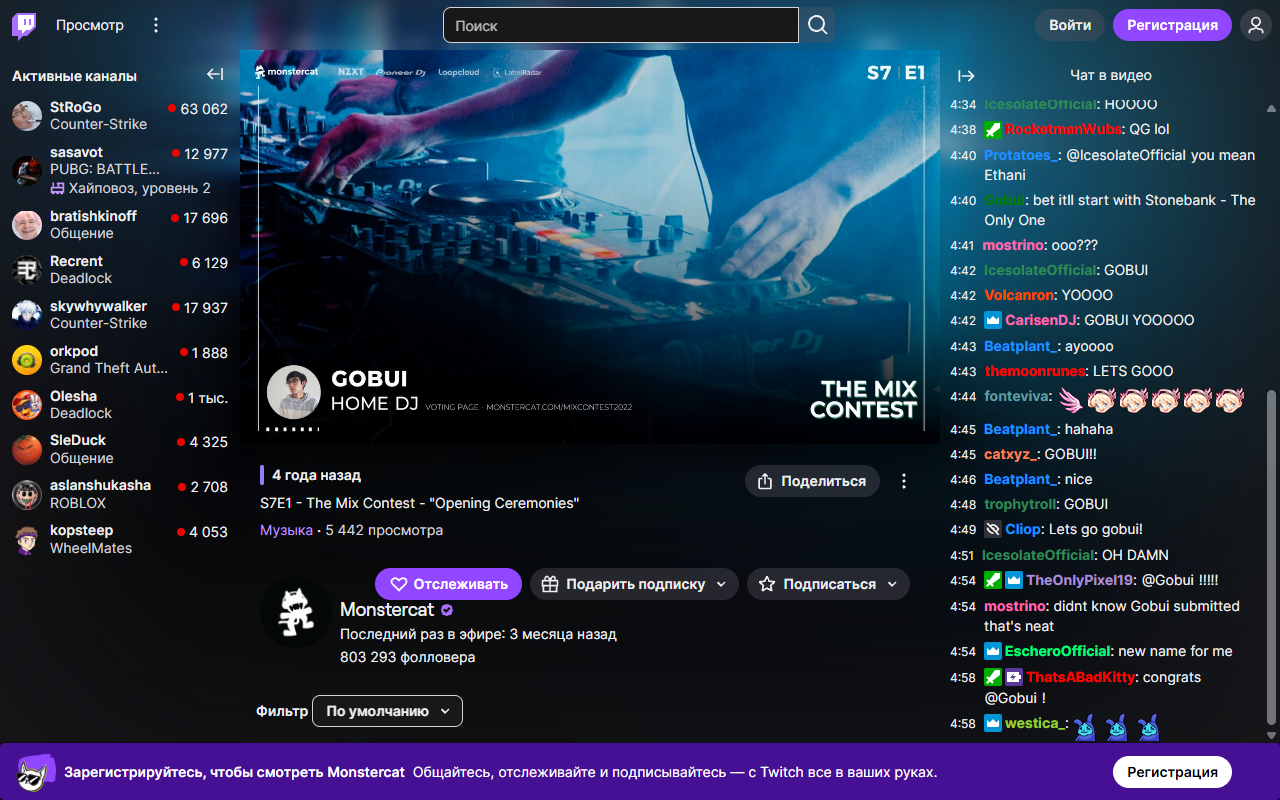
Real Twitch with the extension installed. Open the image to explore it at full size.
SETTINGS / INSIDE THE PLAYER
Open the menu using the lightbulb beside the player settings. Adjust the atmosphere to your liking — changes apply immediately.
Blur, spread, brightness and saturation.
Normal and Theater. Fullscreen keeps the video clear.
English and Russian, conservative compatibility mode.
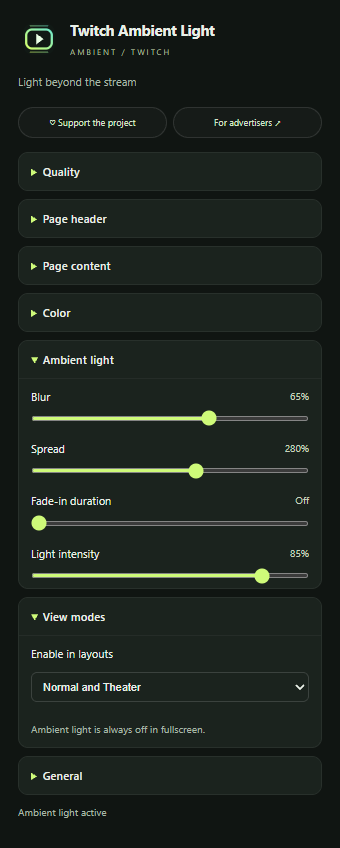
AMBIENT / TWITCH
Chat, channels and descriptions receive spatial colours from the nearest video edge.
Blur, spread, brightness and update rate — in English and Russian.
Normal and Theater layouts. Ambient light switches off in fullscreen; video size stays unchanged.
A Chrome Web Store link will appear after publication.
PARTNERS / AMBIENT
An offer inside Twitch Ambient Light’s own menu, styled with your brand colours. Logo and palette are approved before launch. Campaigns update remotely without reinstalling the extension.
Reports cover activity, visible impressions and clicks from people who opt into analytics. They do not represent all installations.
KEEP THE LIGHT ON
Support is voluntary and you choose the amount. For a thank-you code, contact us and leave a reply address. Codes are issued manually; extension offers can also be disabled in settings for free.